Professional wood CNC: what budget in 2026?
Real price of a professional wood CNC in 2026: hobby, workshop, China import, new or used industrial, leasing and profitability versus subcontracting.
Roldan Descamps
CEO
To machine a part on a CNC router, you need three types of software: CAD software to draw the part, CAM software to calculate the tool paths and generate the G-code, and control software to send that G-code to the machine. Some programs cover both CAD and CAM.
To get started, or simply to cut wood, you are better off with a program like VCarve or Carveco. In professional woodshops, you will mostly find Fusion, SketchUp, TopSolid and cadwork, and increasingly Vectric software. For design and freeform shapes, Rhino and Fusion lead the way. FreeCAD, free and open source, is aimed more at engineers and open-source enthusiasts.
This guide explains the role of each type of software, then helps you choose based on your profile. For every program we know well, you will find a link to our tutorial.
A CNC router needs three software steps, always in the same order: draw the part, prepare the machining, control the machine.
| Step | What you do | What comes out | Examples |
|---|---|---|---|
| CAD (computer-aided design) | You draw the part in 2D or 3D | A DXF, SVG, STEP, STL file… | Fusion, FreeCAD, SketchUp, Rhino, Inkscape |
| CAM (computer-aided manufacturing) | You choose the bits, the operations and the speeds | The G-code, through a post-processor suited to your machine | Fusion, VCarve, Aspire, Carveco, Estlcam |
| Control | You set the origin, start and monitor the cut | The machine movements | PlanetCNC, Mach4, LinuxCNC, UGS, gSender |
This is where you design your object. For a flat cut or engraving, a 2D drawing is enough, and a vector drawing program such as Inkscape, Illustrator or CorelDRAW will do the job. For a piece of furniture or a part with relief, you need a 3D modeler. Parametric modelers (Fusion, FreeCAD, SolidWorks) are the most practical for CNC work: change a dimension, such as the panel thickness, and the whole model updates.
CAM turns your drawing into tool paths. There you define the stock, the origin, the bits, the operations (pocketing, profiling, V-carving, 3D roughing and finishing) and the speeds. At the end, a post-processor translates these paths into G-code that your machine understands. Our guide to G-code and post-processors explains this step in detail.
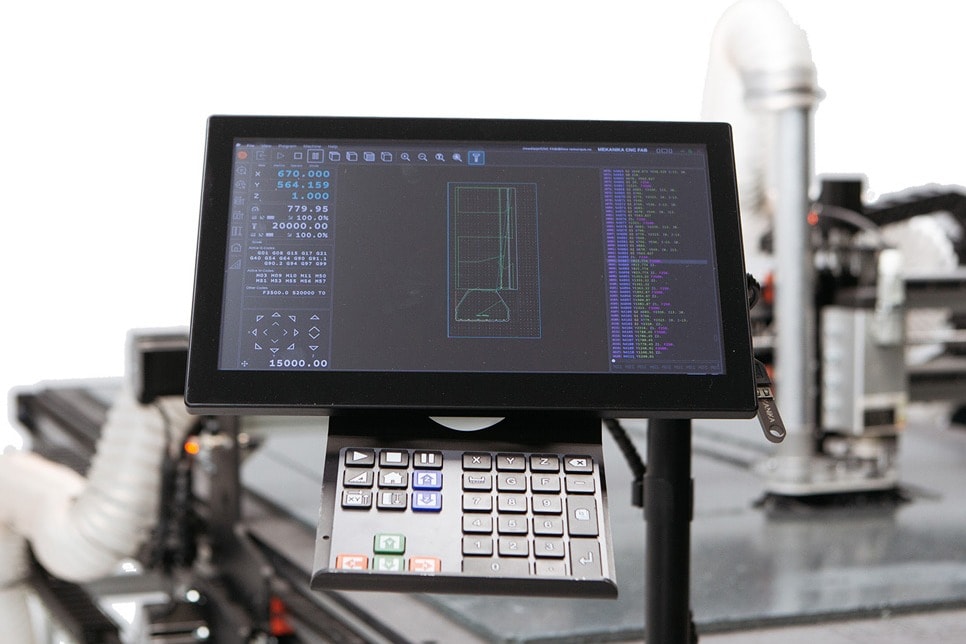
Control software reads the G-code and drives the motors, through the machine's electronics board. This is the software you use at the workshop: setting the origin, touching off the tool, starting, pausing, resuming. It often depends on your machine's controller, so you are not always free to choose it.
The right software depends on your experience and on what you make. Here are the most common choices:
| Your profile | Recommended software |
|---|---|
| You are just starting | VCarve, Carveco |
| Engraving, signs, lettering | VCarve, Carveco |
| Bas-relief and 3D carving | Aspire, Carveco Maker Plus |
| Woodshop: furniture, fittings | Fusion, SketchUp, TopSolid'Wood, VCarve Pro, Aspire |
| Timber framing, wood frame construction | cadwork |
| Design, freeform shapes | Rhino, Fusion |
| Engineer or open-source enthusiast | FreeCAD |
| Small budget | Fusion (personal use), FreeCAD, Inkscape + Estlcam |
| Industrial production | TopSolid'Cam, Alphacam, Mastercam |
To get started, or simply to cut wood, choose a program like VCarve or Carveco: you draw, pick the operation and generate the G-code in a few minutes, without going through a full 3D modeler.
VCarve is the reference for 2D and 2.5D cutting, V-carving, signs and lettering. Its interface gets straight to the point and its operations are designed for wood. Aspire adds 3D modeling and machining of bas-reliefs. Both are perpetual licenses, with no subscription, and they remain relevant as the workshop grows: more and more woodshops use them every day. See our tutorial on VCarve and Aspire.
Carveco covers the same uses with three levels: Maker to get started, Maker Plus for relief, and Carveco for professional use. It works on a subscription, with a perpetual license option for the higher versions. See our tutorial on Carveco.
Easel runs in the browser and suits very first projects, but its free version strongly limits G-code exports. Estlcam, very popular in Germany, is a simple and efficient CAM program; its free version is complete, the only catch being that opening files is slowed down until you buy the license.
If you already design your signs in CorelDRAW, you can keep your tool: a CAM module such as CamDRAW generates the G-code directly from the interface. See our tutorial on CorelDRAW for your CNC router.
Autodesk Fusion and FreeCAD are the two most complete free programs: they cover CAD and CAM, up to 3D machining. These are real design tools, and they take time to learn.
Fusion combines parametric CAD, 2D and 3D CAM and simulation in a single program. The personal-use license is free for non-commercial use, with some features restricted: rapid moves slowed down, no automatic tool change, and a limited number of editable documents. For professional use, a subscription is required. It is a very complete and well-documented program, which we use in our training modules and in our tutorials on parametric design.
FreeCAD is free and open source, with no limits, and runs on Windows, macOS and Linux. Since version 1.0, its interface and CAM module have improved considerably. It remains more technical than Fusion and is aimed more at engineers and open-source enthusiasts. See our tutorial on FreeCAD for your CNC router.
Blender is free and excels at organic modeling and sculpting; the free BlenderCAM add-on adds CAM to it, though it is more experimental. Inkscape, also free, is used to draw your 2D shapes and export them as DXF or SVG to your CAM software, for example Estlcam.
Onshape is an online parametric modeler, free as long as your documents stay public and non-commercial; its CAM is reserved for the most expensive paid plan. Kiri:Moto, free and open source, generates G-code directly in the browser from a 3D model or a 2D drawing: roughing, finishing, profiles, pockets and tabs. It can be used on its own or as an app inside Onshape, and it is handy for simple projects.
In professional woodshops, you will mostly find Fusion, SketchUp, TopSolid and cadwork, and increasingly Vectric software. The choice depends on the trade: interior fitting, furniture, timber framing.
Fusion is widely used for custom furniture: panel thickness, joint clearance and dimensions are set by parameters, and the model updates automatically. It also handles nesting of parts on the panel and CAM in the same file. Our training module 3 shows the full design of a mortise-and-tenon stool.
SketchUp is popular with interior designers and cabinetmakers for its quick learning curve, especially for presenting a project to a client. It does not do CAM: you need an extension, such as SketchUCam, free and open source, or you export your parts to a CAM program. See our tutorial on SketchUp for your CNC router.
Very common in interior fitting and joinery in France, TopSolid'Wood designs the furniture and its parts, with hardware libraries, cut lists and the link to machining through TopSolid'Cam. It is sold on quotation, often with training.
cadwork is the reference for timber framing and timber construction (wood frames, CLT), including the preparation of parts for machining centers. It too is sold on quotation.
Mentioned above for beginners, Vectric software is gaining ground in workshops: for signs, facades, decorative pieces and small batches, it is often faster than a general-purpose CAM program.
If you are equipping yourself for production, think about the software at the same time as the machine: our guide to the budget for a professional CNC helps you price the whole setup.
For design, curved shapes and prototypes, Rhino and Fusion are the two references.
Rhino excels at freeform and complex surfaces: designer furniture, prototypes, custom fittings. It is sold as a perpetual license and can be complemented with a CAM plugin such as RhinoCAM.
Fusion combines freeform modeling and parametric design, then moves straight on to 3D CAM. Our advanced module shows how to machine a complex 3D object.
For very organic shapes and sculpting, Blender is free and very powerful; you can export your model to Fusion for machining.
In production, CAM software is chosen for its robustness, its automation and how well it integrates with the rest of the workshop: nesting, labeling, tool management. These programs are sold on quotation, with training.
CNC control software depends first on your machine's controller: most manufacturers impose one. The criteria that matter are how simple the interface is, the functions useful in the workshop (touch-off, resuming a job, tool change) and the quality of support.
This is the control software for our machines. We chose it for its stability and the robustness of its controllers, and because it runs on a Raspberry Pi: the machine works without an external computer. It handles tool touch-off, line skipping, resuming a job, the 4th axis and tool change. See the PlanetCNC interface explained, resuming an interrupted job and importing a vector drawing directly into PlanetCNC.
Mach3 was long the most widely used CNC control software for hobbyists, but it relies on the parallel port, which is missing from recent computers. Mach4, its successor, comes in a Hobby version and an Industrial version.
Free and open source, LinuxCNC is extremely flexible and has a large community. It does, however, require more technical knowledge to configure.
GRBL is a firmware that runs many small CNC machines. It is driven with a free G-code sender such as Universal Gcode Sender (UGS), gSender or Candle. It is the simplest solution for a small machine or a first homemade CNC, but it reaches its limits quickly on large jobs.
Several manufacturers ship their own software: Easel for the X-Carve, Carbide Motion for the Shapeoko, Masso controllers for the Onefinity Elite. They are simple to pick up, but reserved for their own machines.
Publishers often change their prices: the column shows the license model, to be checked on their website before you buy.
| Software | Type | Budget | Level | Systems | Our tutorial |
|---|---|---|---|---|---|
| Autodesk Fusion | CAD + CAM | Free (personal) · subscription (pro) | Intermediate to pro | Windows, macOS | Training |
| FreeCAD | CAD + CAM | Free | Advanced | Windows, macOS, Linux | Tutorial |
| Estlcam | CAM + control | Free · inexpensive license | Beginner | Windows | – |
| Inkscape | 2D drawing | Free | Beginner | Windows, macOS, Linux | – |
| Blender + BlenderCAM | 3D modeling + CAM | Free | Intermediate | Windows, macOS, Linux | – |
| Kiri:Moto | CAM (web) | Free | Beginner | Browser | – |
| Easel | CAD + CAM (web) | Limited free · subscription | Beginner | Browser | – |
| SketchUp (+ SketchUCam) | 3D CAD (+ CAM via extension) | Subscription | Beginner to pro | Windows, macOS, web | Tutorial |
| VCarve | 2D CAD + CAM | Perpetual license | Beginner to pro | Windows, macOS | Tutorial |
| Aspire | 2D/relief CAD + CAM | Perpetual license | Pro | Windows, macOS | Tutorial |
| Carveco | CAD + CAM | Subscription · perpetual license | Beginner to pro | Windows | Tutorial |
| CorelDRAW + CamDRAW | Drawing + CAM | License or subscription | Beginner | Windows | Tutorial |
| SolidWorks | CAD (+ CAM as an option) | Makers offer · costly pro license | Pro | Windows | – |
| Rhino (+ RhinoCAM) | Freeform CAD + CAM | Perpetual license | Pro | Windows, macOS | – |
| TopSolid'Wood / 'Cam | Wood CAD + CAM | On quotation | Pro | Windows | – |
| cadwork | Timber construction CAD + CAM | On quotation | Pro | Windows | – |
| Alphacam, Mastercam | Industrial CAM | On quotation | Pro | Windows | – |
| PlanetCNC | Control | With the PlanetCNC controller | Beginner to pro | Windows, macOS, Linux | Tutorial |
| Mach4 | Control | Hobby or Industrial license | Intermediate | Windows | – |
| LinuxCNC | Control | Free | Advanced | Linux | – |
| UGS, gSender, Candle | GRBL control | Free | Beginner | Windows, macOS, Linux | – |
Mekanika is a Belgian company based in Brussels whose ambition is to make local production more accessible thanks to a 100% open-source approach.
We design and produce high quality machines for CNC milling and screen printing, which have been recognized for their reliability and ease of use. Our tools are delivered as kits and fully documented, allowing to easily adapt them to specific needs.
Visit our shop to find out more, or check out our online resources and tutorials to continue learning.
Real price of a professional wood CNC in 2026: hobby, workshop, China import, new or used industrial, leasing and profitability versus subcontracting.
Roldan Descamps
CEO
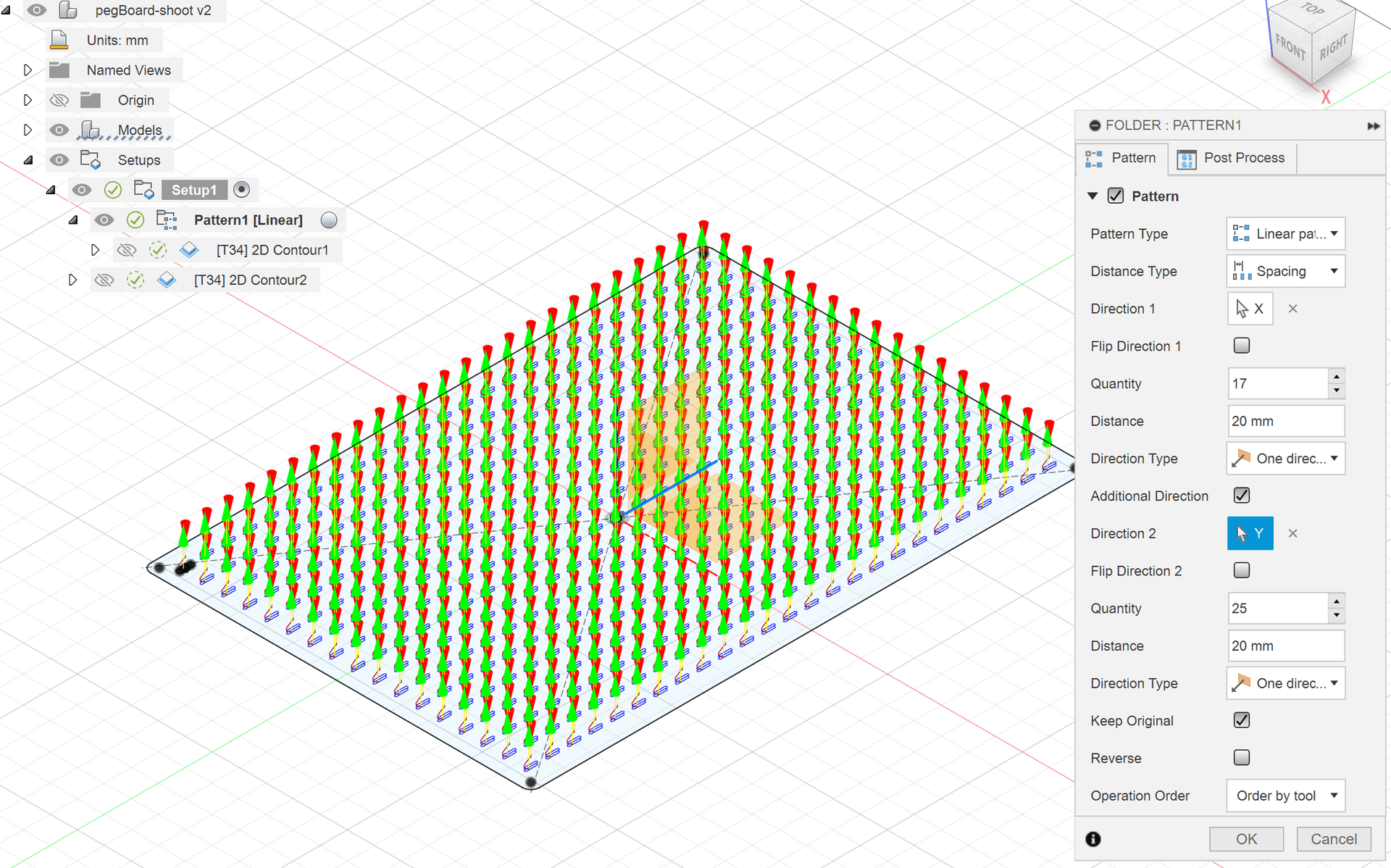
Create and machine a parametric pegboard using a toolpath pattern. You will learn how to prepare the design and how to use the Pattern operation in the Manufacture workspace.

Xavier Klein
CNC Educator
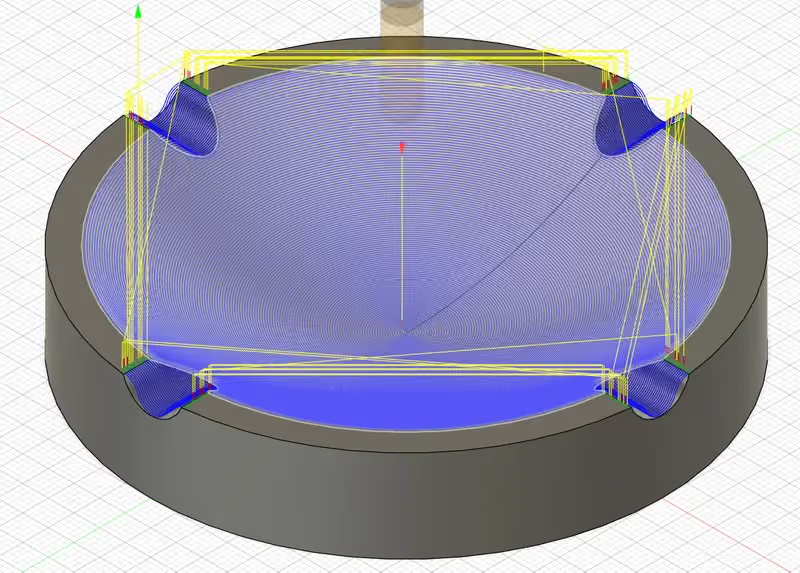
Learn how to model a parametric ashtray and prepare its 3D machining in Autodesk Fusion, from roughing to finishing.
Xavier Klein
CNC Educator